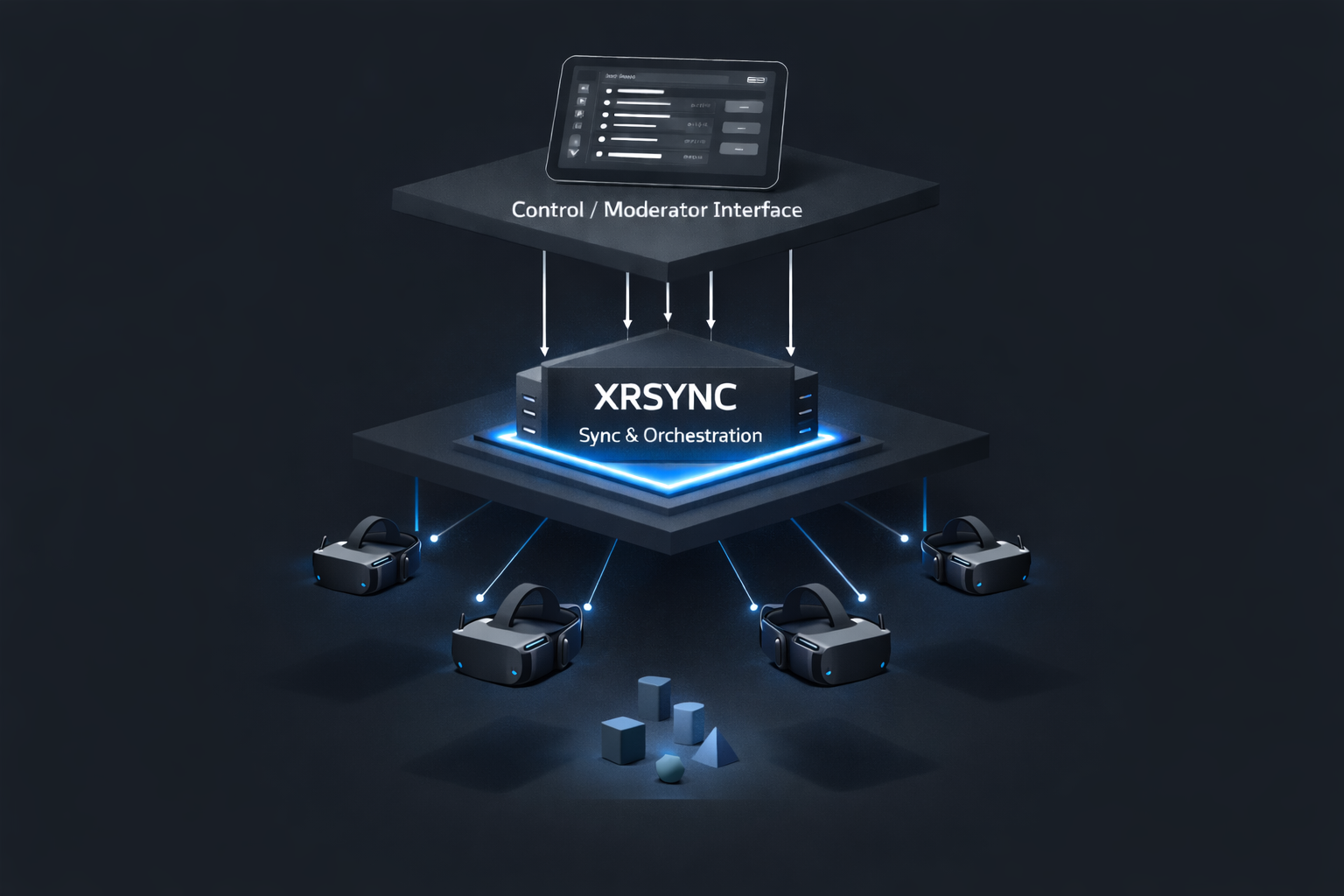
Control over your XR experience.
XRsync ensures that your XR experiences are accessible to many people simultaneously. Controlled, synchronized and with exactly the level of interaction your format requires.
Reliably orchestrated for use in live operations – such as at trade shows, events, exhibitions or in museums.
Discuss projectXRsync is controlled via a simple, customizable touchscreen interface on the tablet.
Workflows, content and interactions can be controlled live and situation-dependent.
Designed for moderators, guides and event staff – not for developers.
Use Cases
XR & MR for Trade Shows and Events
High throughput, low error tolerance, clear control. XRsync enables controlled, repeatable presentations with interactive elements.
XR & MR for Museums and Guided Tours
Synchronized, spatially anchored experiences for groups – controlled by guides.
Business, Training & Presentation
Formats where stability, control and predictability are more important than playfulness.
When XRsync is the right solution
XRsync is suitable for projects where at least one of the following requirements applies:
- Multiple XR headsets must be operated synchronously or coordinated
- A guide or moderator centrally controls workflow and interactions
- Content should be released or controlled non-linearly
- Interactions must be specifically activated or deactivated
- XR content is anchored in space (Shared Spatial Anchors)
- Local operation without cloud is required or desired
- The experience must run stably multiple times in a row
XRsync is built for operational reliability with design freedom.
XRsync vs. Showtime VR
Fundamental Differences
XRsync and Showtime VR pursue different objectives.
| XRsync | Showtime VR | |
|---|---|---|
| Focus | Control & Flexibility | Content Playback |
| Content Types | Interactive, MR, AR, 360° | Primarily 360° Video |
| Workflows | Non-linear, controlled | Linear |
| Interaction Control | Granular & project-dependent | Highly restricted |
| Spatial Anchors | Central concept | Not intended |
| Operation Mode | Fully local | Cloud / Platform |
| Product Form | Project-based integration | Standard software |
XRsync is relevant when your experience is based on interactions and spatial reference.
XRsync is the right choice when interactions, spatial reference and workflow control are decisive. Showtime VR is suitable when standardized video shows are in the foreground.
Key Facts & Hardware
The system is optimized for maximum stability in live deployment. Proven in real deployments: In tour formats, we regularly operate up to 40 headsets simultaneously with high reliability – even with multiple runs on the same day.
- Scaling: Typically 4–20 headsets, technically up to approx. 50 possible.
- Hardware: Optimally integrated for Meta Quest 3 and Pico 4.
- Optional: Support for HTC Vive, Apple Vision Pro and Galaxy XR on request.
- Resilience: Automatic re-sync on app restart during session.
Service & Support
XRsync can be implemented turnkey or as a comprehensive complete project on request.
Services on request:
- Technical integration
- Content production (XR / MR)
- Hardware procurement or rental devices
- Setup, operation & maintenance
- On-site event support
One contact person – one system – one clear workflow.
Frequently Asked Questions
What is the difference to Showtime VR?
XRsync is optimized for interaction, spatial reference (MR) and workflow control. While Showtime VR is primarily designed for linear 360° video shows, XRsync enables complex, non-linear Unity scenes with Shared Spatial Anchors and granular moderator intervention.
Can I integrate XRsync into my Unity project?
Yes. XRsync is Unity-based and can be integrated as a technical foundation into existing projects. We offer both integration as a service and complete content production.
Is XRsync an MDM system?
No. It is a show control system at the application level. It controls the workflow within your application (scene changes, interactions), but does not replace device management (app installations, OS updates).
Do I need internet or cloud services?
No. XRsync runs completely locally via your own WLAN. This reduces failure risks and meets the highest data protection requirements at events and in museums.
What does the implementation cost?
XRsync is calculated on a project basis. Costs vary depending on number of headsets, complexity of interaction logic, content production and desired service level (hardware rental, event personnel). We will create a concrete, tailored offer for you after a brief project description.
Do you also offer hardware rental and event support?
Yes. We can handle the entire project turnkey: From renting pre-configured Quest 3 headsets to MDM preparation to technical support on-site during your event.
Request Project
XRsync is optimized for projects with high requirements for reliability and control. We will check together whether it fits your use case.
Please send a brief description with:
- Deployment context
- Group size
- Desired interactions
- Goal of the experience
You will receive a clear assessment of whether XRsync is suitable for your use case – and if needed, a concrete offer.
Discuss projectEmail: hello@renekasperek.de